
Guide
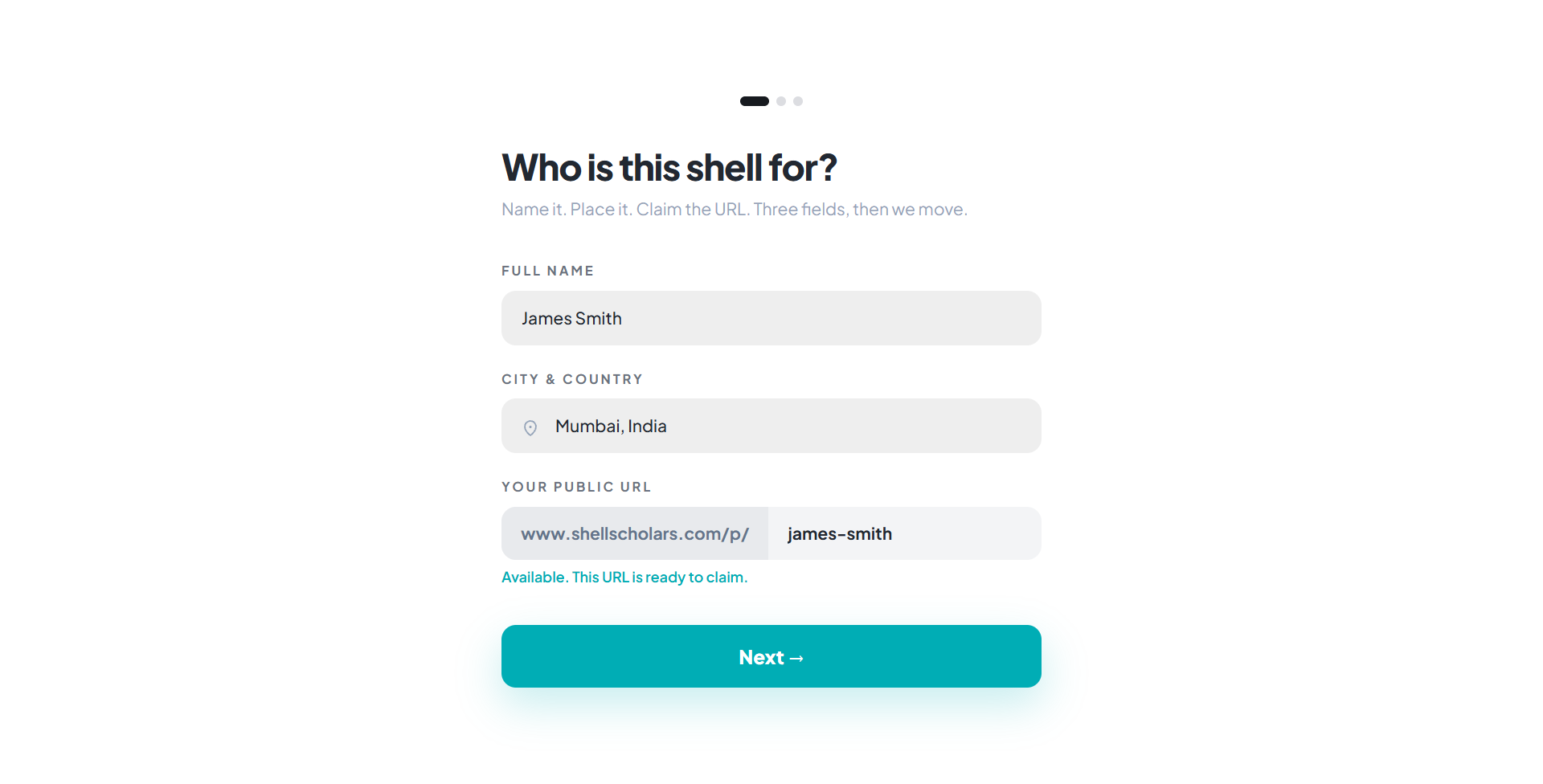
Step 1: your details
- Full name
- City & country. Start typing and pick from the autocomplete suggestions; your location may be pre-filled automatically.
- Public URL. This becomes
shellscholars.com/p/your-slug. It's suggested from your name automatically, but you can edit it. Availability is checked live as you type, with alternatives suggested if it's taken.
Click Next once your name, location, and a valid, available URL are filled in.
Step 2: choose your path
You have two ways to fill your shell with content.
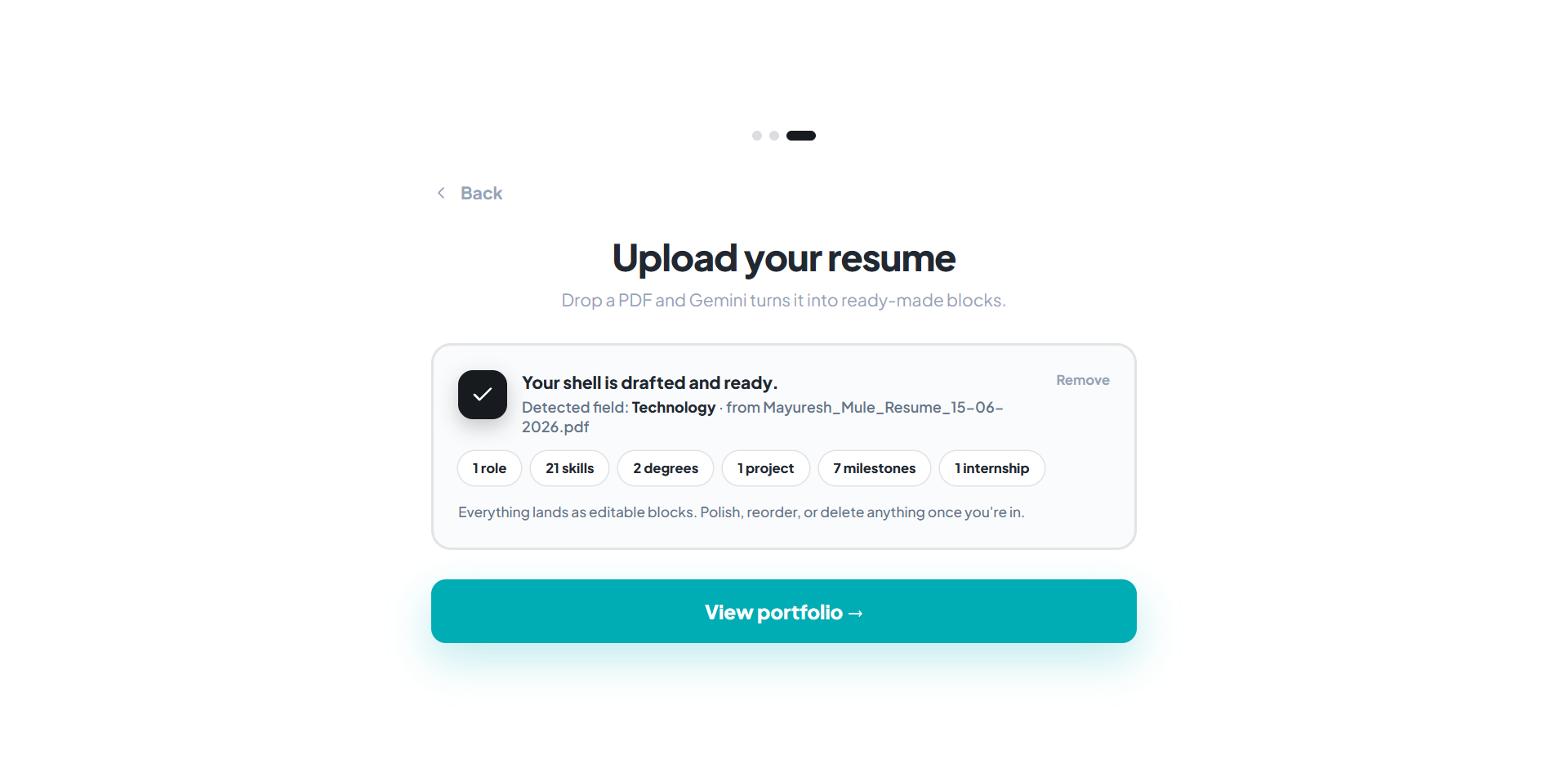
A. Upload your resume, let AI build it
- Drag a file in, or click to browse. Accepted: PDF, PNG, JPG, WEBP, or TXT, up to 8MB.
- Wait for processing; a short animated status appears.
- If it can't read the file, you'll be offered a fallback: paste your resume text directly instead.
- On success you'll see a summary of what was detected (roles, skills, education, projects, milestones, internships) and your matched job family. Confirm to generate your shell: banner, pitch, bio, skills, timeline, education, projects, internships, contact, and social links blocks are created and filled in automatically.
B. Build from a template
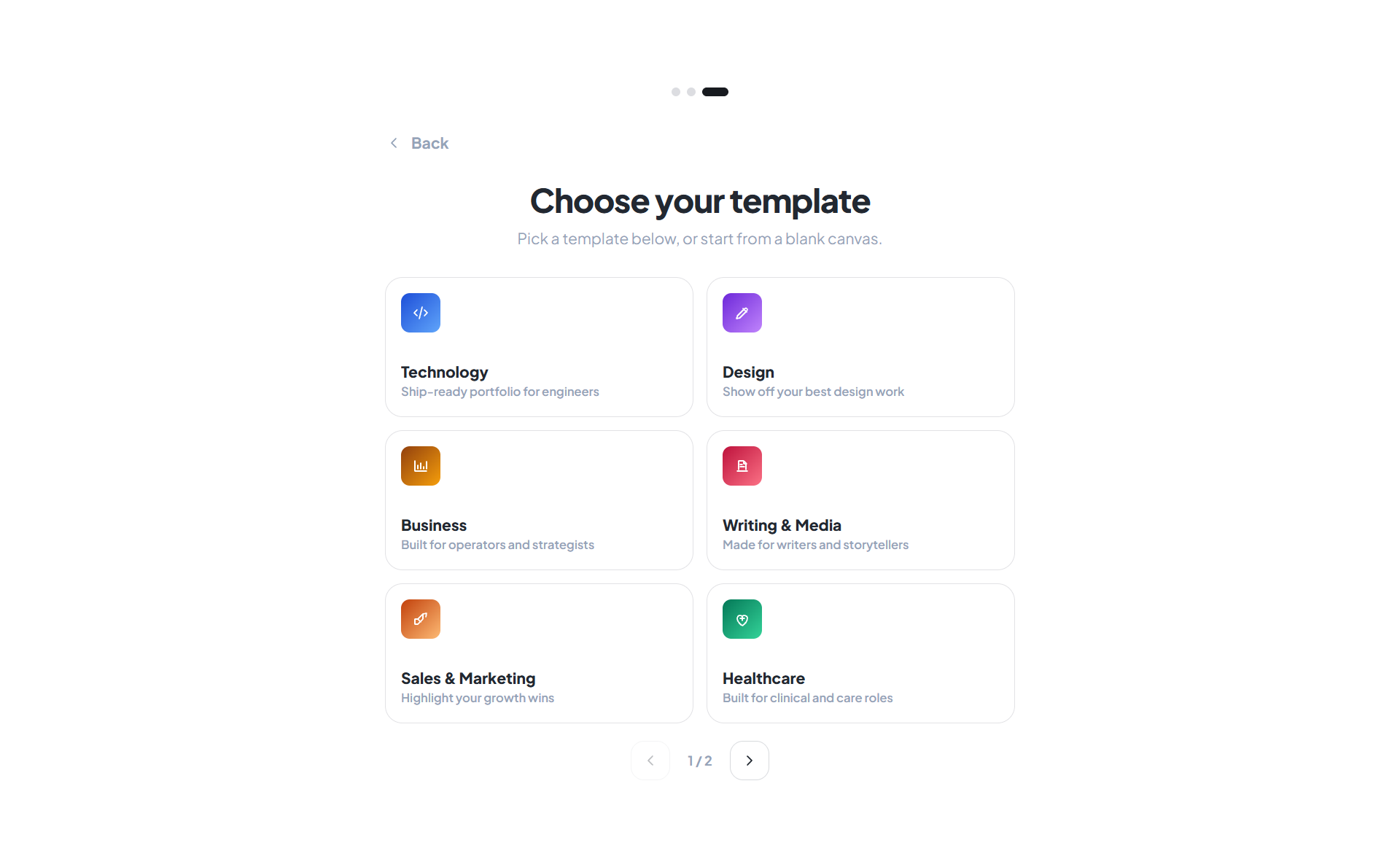
- Pick your discipline: Technology, Design, Business, Writing & Media, Sales & Marketing, Healthcare, Legal, Founder, or Education. Each seeds a curated starter set of around 10 blocks suited to that field.
- Or choose Create by own for a completely blank canvas; you add your first block yourself.
Submitting either path publishes your shell and drops you straight into the editor at shellscholars.com/p/your-slug?edit.
Not sure which path to pick? The resume path is fastest if you already have an up-to-date resume; the template path gives you more control from block one.